A choice guide without the sales talk
Compare POS systems: what to look for
Almost every POS system can handle a checkout. The difference lies in the features that suit your business and what you pay for them each month. Wondering about the difference between a till and a POS system? Below we list, feature by feature, how important each one is for hospitality and retail — and how SmartPOSapp delivers it.
Start with your type of business
Table-service hospitality
You need tables, handhelds and kitchen tickets. Pay close attention to the floor plan, the number of handhelds included in your plan and whether tickets print automatically.
QR ordering and handhelds →Shop and retail
Counter sales with a scanner, stock per item and gift cards matter most. You don't need a table plan — so don't pay for one either.
POS system for retail →Club or canteen
Rotating volunteers, a short menu and balance cards. PIN login and a revenue overview per shift matter more than extensive features.
POS system for sports canteens →Compare features by business type
Use this table as a checklist for every provider you look at. The last column shows how SmartPOSapp handles it: included by default or available as an add-on module.
| Feature | Hospitality | Retail | SmartPOSapp |
|---|---|---|---|
| Fast checkout with product tilesTiles per category and subcategory, colourable and draggable yourself. | Basic | Basic | Included |
| Barcode scanner at the tillThe scanner works as keyboard input, also for logging in with a badge. | Handy | Essential | Included |
| Table plan with custom shapesSquare, rectangular or round, your own background and colour status per table. | Essential | Not needed | Included |
| Handhelds for ordering at the tableRuns on the phones your staff already have, over your own wifi. | Essential | Not needed | Included |
| Kitchen display (digital tickets)Per category or product you decide what goes to the display. | Handy | Not needed | Module |
| QR ordering / self-serviceThe guest scans the QR code at the table and orders within your opening hours. | Handy | Not needed | Module |
| Stock per itemStock automatically decreases with every sale. | Handy | Essential | Included |
| Gift cards with remaining balanceYour own design with a barcode; the remaining amount stays on the card. | Handy | Handy | Module |
| ReservationsAvailable as a module you can add to your subscription. | Handy | Not needed | Module |
| Roles, PIN login and permissionsEvery employee has their own PIN or badge, with their own permissions. | Essential | Essential | Included |
| Time tracking (clock in and out)A running clock on screen and an hours overview per employee. | Handy | Handy | Module |
| Revenue reporting and day closingPer product, category, payment method and shift. | Essential | Essential | Included |
Which modules are included in which subscription is listed per plan on the pricing page.
Also look at what you see every day
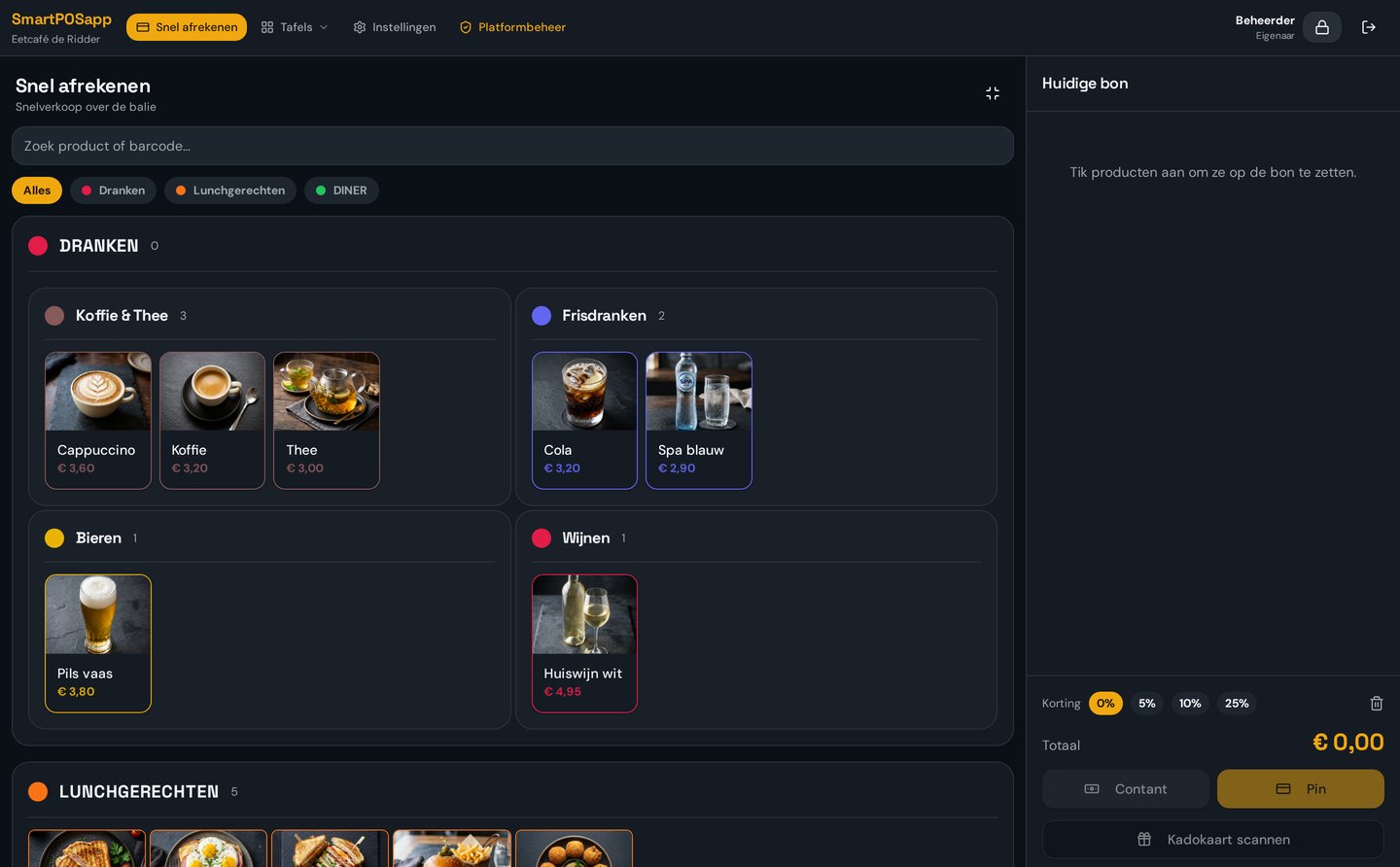
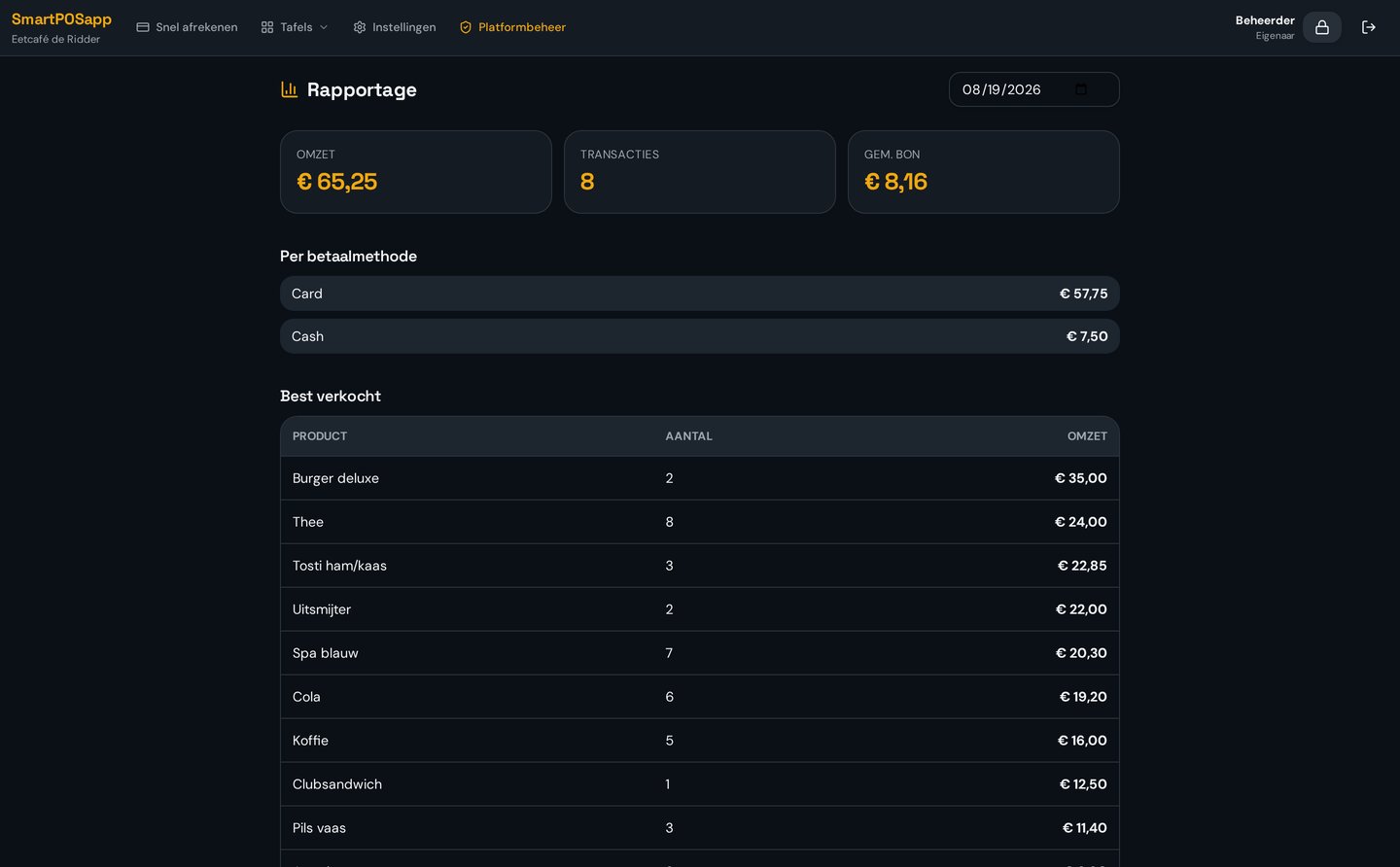
You don't buy a system for its feature list but for the screen your staff taps a hundred times a day. So always look at the checkout screen and the reporting you use each evening.
- Can you colour, sort and group tiles yourself?
- How many taps does one order of three products take?
- Do you see your revenue per payment method right after closing time?
10 questions to ask every provider
- 1What do you pay per month per location, and what gets added per till or handheld?
- 2Are there setup, installation or migration costs?
- 3Do you have to buy hardware, or does it run on devices you already own?
- 4Are you tied to a fixed term, and can you scale up or down monthly?
- 5How many users, products and tables are included in your plan?
- 6Which modules are included and which cost extra?
- 7Can you set up a trial configuration yourself before you decide?
- 8How are tickets printed: network printer, kitchen display or both?
- 9What happens to your data if you cancel — can you export everything?
- 10How quickly can you get help if something goes wrong on a busy Saturday night?
Comparing against your current system
Already running another POS package? These pages set the facts about SmartPOSapp side by side with the questions you'd ask your current provider.
A demo says more than a quote
Request a demo: we set up SmartPOSapp for you with a few products, so within half an hour you'll know whether it suits your business.