SmartPOSapp
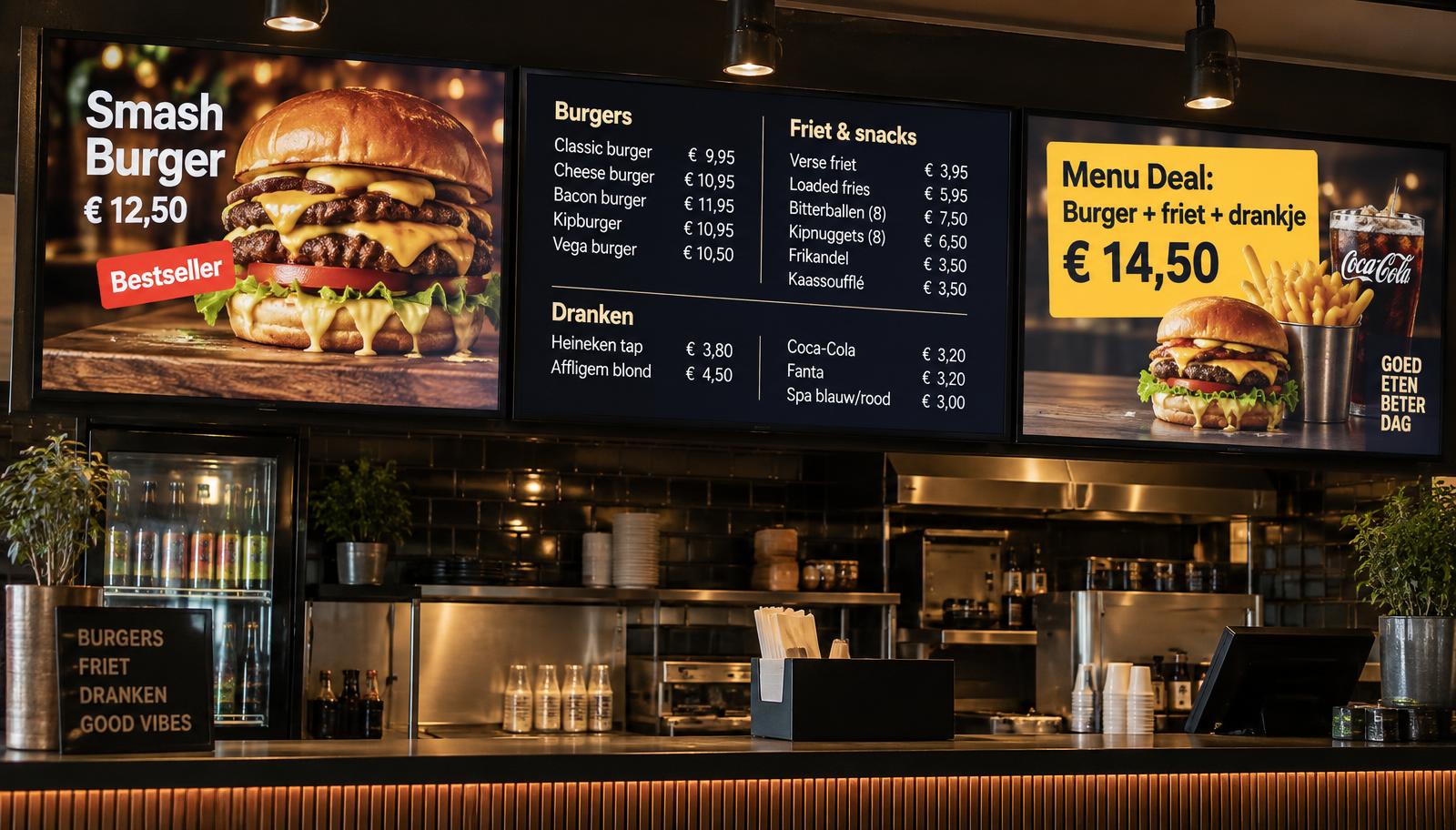
Four TV screens with a digital menu board above a counter

TV menu board add-on

Your menu on TV screens, live linked to your till

Put menus, photos and videos on the screens above your bar or counter. Prices come straight from your till, and with multiple screens you create a video wall or let images run from screen to screen.

Video wall across multiple screens

TV menu board add-on

Up to five screens working together

Place your screens side by side, portrait or landscape. They run perfectly in sync, so you can make one big picture across all screens.

  • Video wall: one video across all screens
  • Run: text or photo moves from screen 1 to the last
  • A separate menu on each screen
Burger on a digital menu board

TV menu board add-on

Playlists with menus, photos and videos

Combine menus from the menu maker with your own photos, videos and texts. Choose the duration and an animation for each item.

  • Fly-in, fade or zoom animations
  • Scrolling news ticker at the bottom
  • Upload photos and videos
Pizza with price on the TV screen

TV menu board add-on

Prices live from the till

Change a price or product in the till and it is instantly correct on your screens. No more outdated boards.

  • Products, prices and categories from the till
  • Same designs as your printed menu

TV menu board add-on

Live preview of your setup

See in the back office exactly what is playing on each screen, and set up your layout before sending it to the screens.

  • Watch every screen live
  • Online status of each screen

TV menu board add-on

Paired in one minute

Open smartposapp.nl/tv on the TV, enter the code at your till and choose its place in the setup. No account needed on the TV.

  • Smart TV, Chromecast or Fire TV Stick
  • Order extra screens yourself in the till

Frequently asked questions about the TV menu board

Which TVs can I use?
Any smart TV with a web browser, or a regular TV with a Chromecast, Fire TV Stick or mini PC. Open smartposapp.nl/tv, enter the six-character code at your till and the screen is paired.
Do prices update automatically?
Yes. Menus on screen take products and prices straight from your till. Change a price and it is correct on your screens within seconds.
What can I put in a playlist?
Menus from the menu maker, your own photos, videos and texts with fly-in animations. You choose how long each item stays on screen.
How do multiple screens work together?
Up to five screens side by side, portrait or landscape. A video can span all screens as a video wall, a text or photo can run from the first to the last screen, or each screen shows its own menu. All screens stay perfectly in sync.
Can I see what is playing on the screens?
Yes. The back office shows a live preview of your whole setup, exactly as it is playing right now.
What does the TV menu board cost?
The add-on is a monthly extension of your SmartPOSapp subscription, including one screen. You order extra screens yourself in the till. Current prices are shown at the top of this page and on the pricing page; cancel monthly.

Bring your menu to life

Order your SmartPOSapp till and switch on the TV menu board whenever you like.

Buy a POS system — instalments available

Buy the complete till set with touchscreen till, cash drawer and receipt printer. With a yearly contract you pay in monthly instalments. We install and set everything up on site.

View hardware