- What is a kitchen display (KDS) in a POS system?
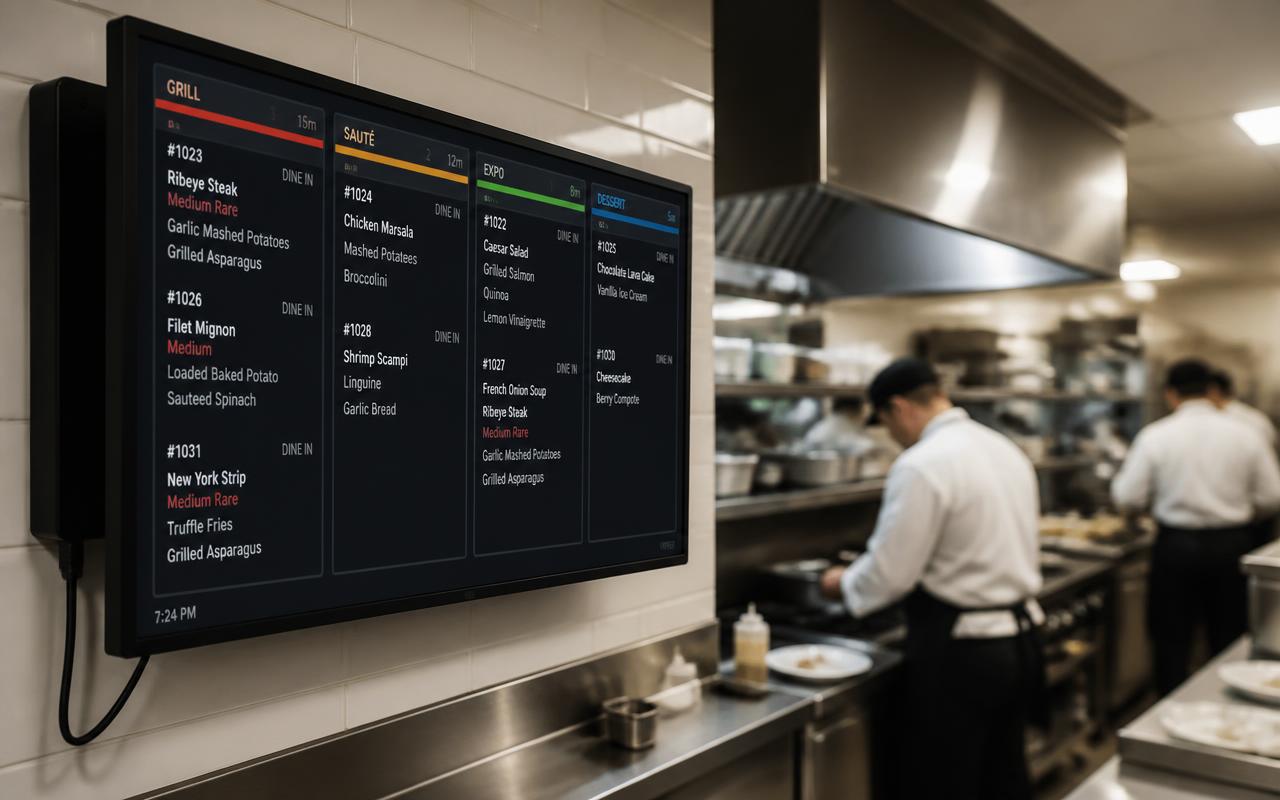
- A kitchen display shows orders digitally in the kitchen instead of on paper. Each item gets a status: new, in preparation and ready. The kitchen ticks items off once they're done, so front-of-house knows what can be served.
- Can I choose which products go to the kitchen display?
- Yes. Per category or per individual product you set whether it goes to the kitchen display and which printer it goes to. That way dishes appear on the kitchen display while drinks print on the bar printer.
- How do courses work on the kitchen display?
- You set up courses and link products to a course. The order then comes in per course, so the kitchen only starts the main course once front-of-house releases that course.
- Does SmartPOSapp find my receipt printer automatically?
- Under Settings › Receipt printers you can scan the network for printers on the same wifi network. Per printer you record where it is — kitchen, bar, counter or other — and whether it's connected via network (IP), bluetooth, USB or cloud.
- Does the receipt print automatically when ordering?
- Yes. As soon as you tap Order on the till or on a handheld, the lines go to the printers configured for that category or product and to the kitchen display. You don't need to confirm anything extra.
- Do I need special hardware for the kitchen display?
- No. The kitchen display is a separate, pre-installed app on a tablet or screen that we set up for you. You put it in full screen in the kitchen, on the same network as the till.
- Can I use a kitchen display and a receipt printer at the same time?
- Yes. Many venues have dishes appear on the kitchen display and print a ticket for the bar or takeaway counter at the same time. Per category or product you choose whether it goes to the screen, to a printer, or to both.
- Does the kitchen display work without internet?
- Till, handhelds, kitchen display and network printers communicate over your own wifi network. An internet connection is needed to sync with your account; a brief outage doesn't have to block the transfer within the venue.
- How many kitchen displays can I connect?
- You can open several screens, for example one at the hot kitchen and one at the cold kitchen or bar. Each screen only shows the lines from the categories linked to it.
- Can I see how long an order has been open?
- The kitchen display shows how long each order has been in, so you can see which tickets are taking too long. On the till, tables without recent activity flash red with the number of minutes since the last order.
- What does a POS system with a kitchen display cost?
- The kitchen display is a module within the subscription. You choose a plan; current prices and modules are on the pricing page.