SmartPOSapp
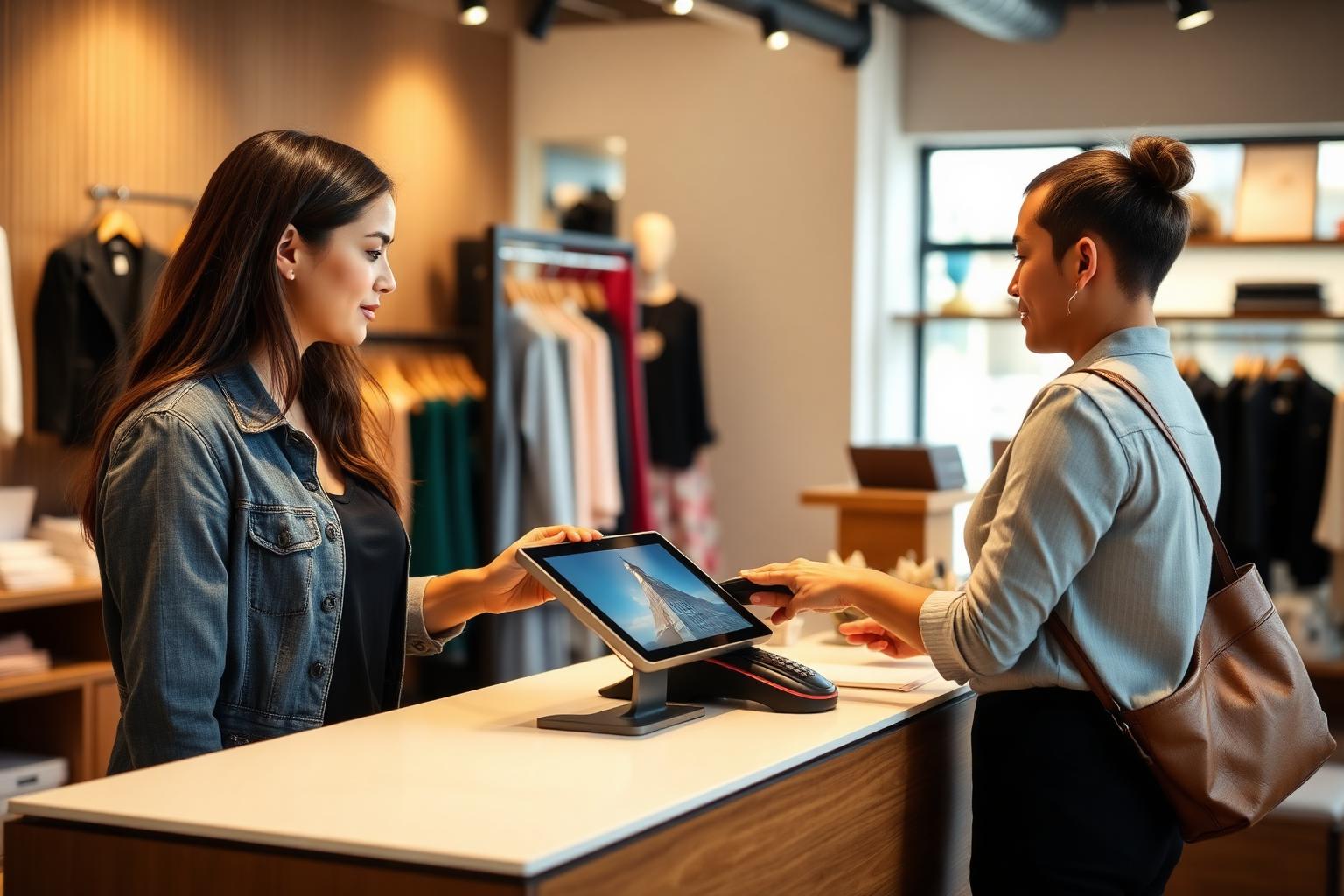
Counter with a tablet, receipt printer and barcode scanner as a till setup

Printers, scanners, handhelds and screens

What hardware do you need for your POS system?

SmartPOSapp is a complete POS system. We deliver the till ready to use, pre-installed and set up, and connect network receipt printers, barcode scanners and screens as standard. No expensive till cabinet, no multi-year hardware contract.

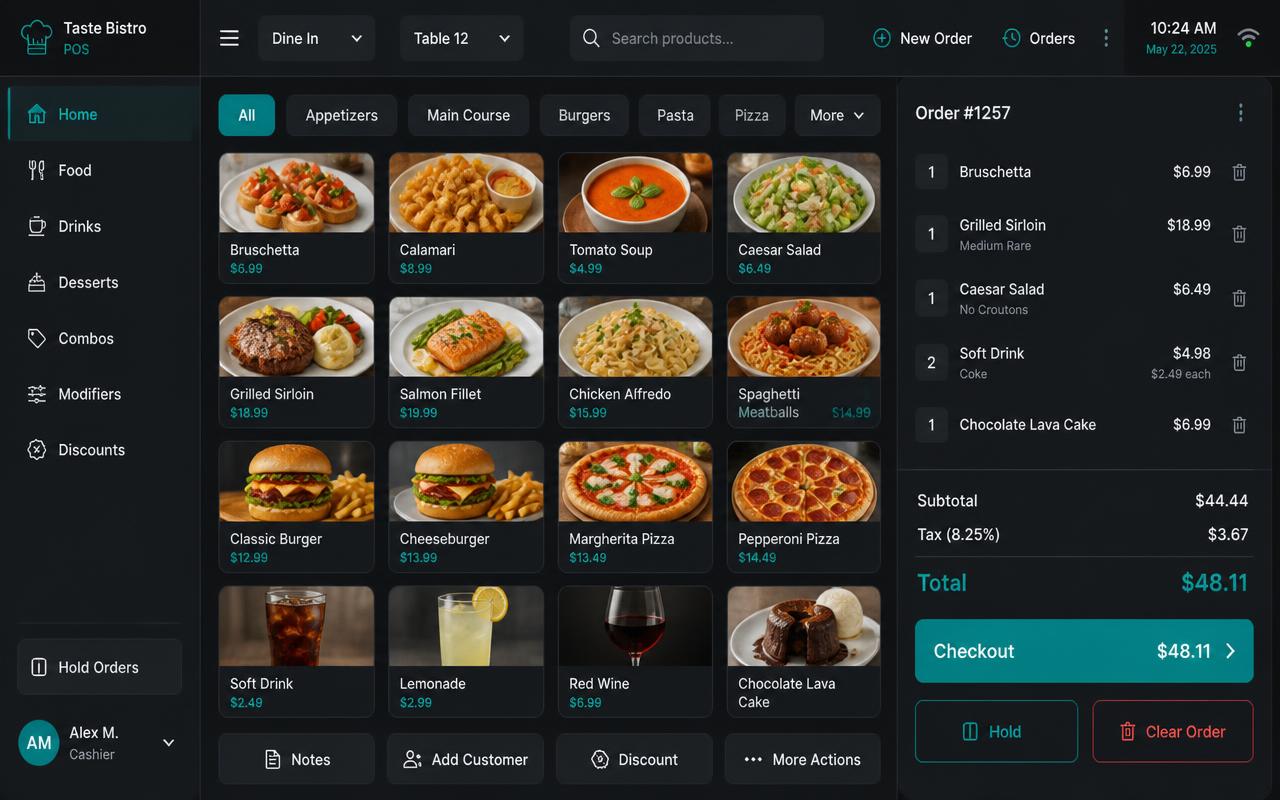
Till screen of SmartPOSapp with product tiles on a tablet at the counter
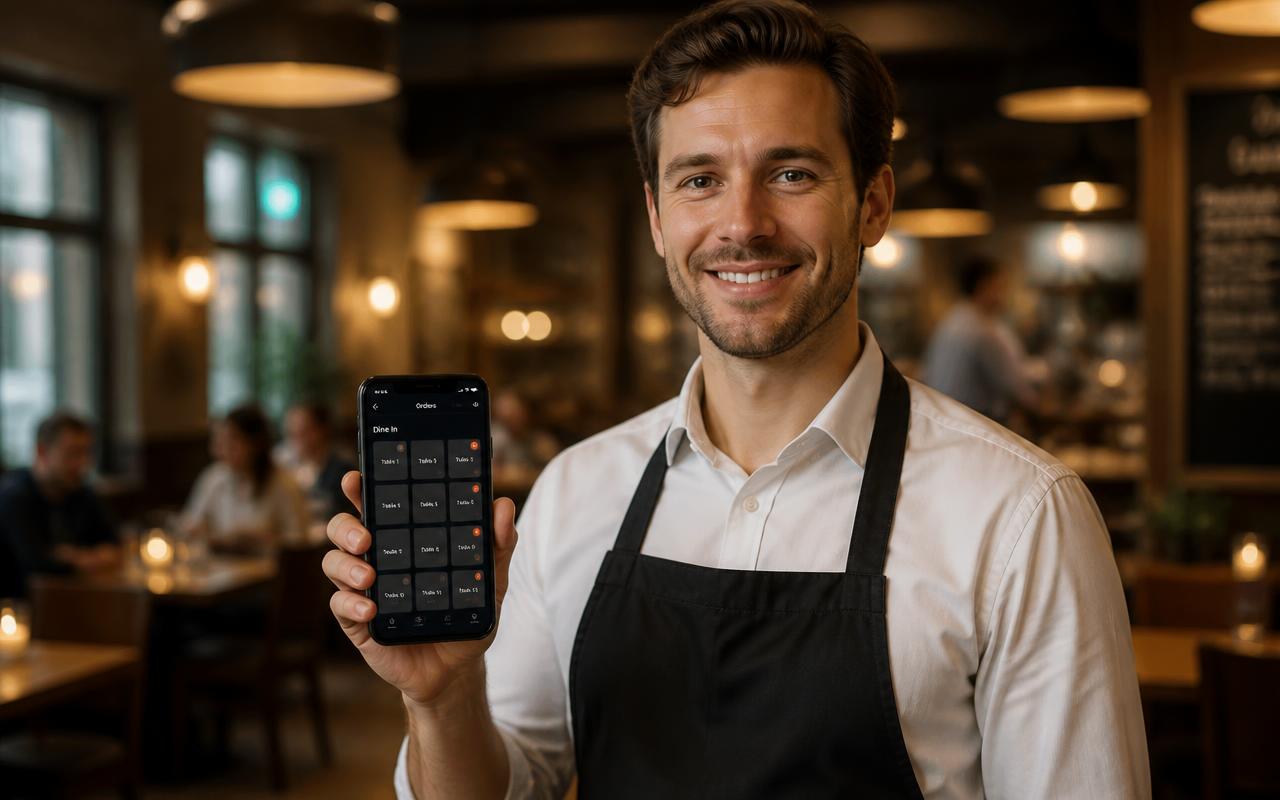
Handheld app of SmartPOSapp on a phone with product tiles and a send button
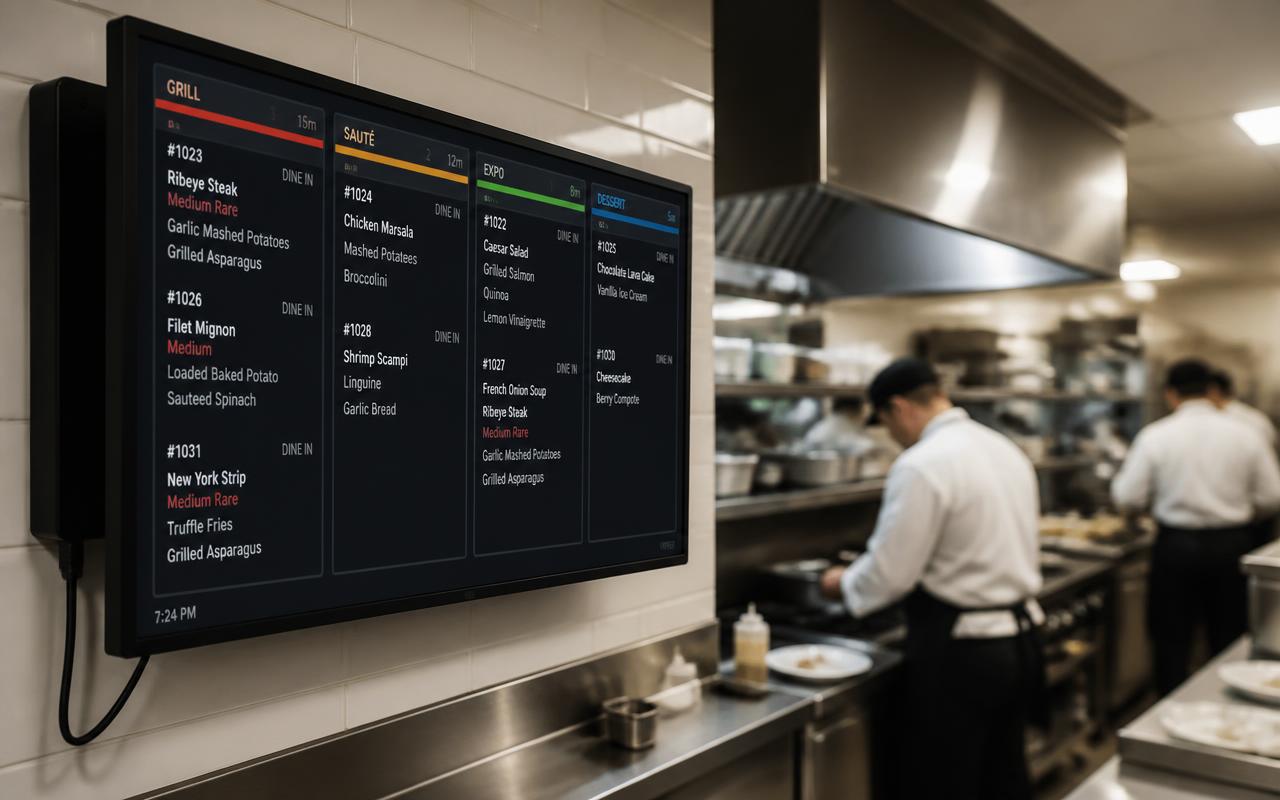
Kitchen display of SmartPOSapp with incoming orders per course

Till: delivered ready to use

We deliver the touchscreen till with the software already on it, set up and ready to use. Switch it on and you can check out right away. The till screen always opens full-screen.

  • Pre-installed and set up by us
  • Installed remotely or on site
  • Full-screen, with tiles in the size you set

Receipt printer (80 mm, network)

Connect a network receipt printer to the same wifi or switch as your till. SmartPOSapp automatically finds printers on your network; you then choose per printer where which tickets go.

  • Automatically find printers on your network
  • Ticket prints automatically when ordering
  • Separate kitchen, bar and receipt ticket possible

Barcode scanner and cash drawer

A regular USB or Bluetooth scanner works right away: it behaves like a keyboard. Scan products, gift cards and even staff badges to log in.

  • Scan products at the counter
  • Scan a gift card to pay, remaining balance stays on it
  • Log in with a pin code or badge

Handhelds: delivered by us

Your staff order with an Android handheld we supply. The device is pre-installed, opens full-screen without a menu and works on the same wifi as the till.

  • Pre-installed and ready to use
  • Order goes straight to a ticket or kitchen display
  • One handheld included, extra devices at an extra cost

Kitchen display

Any screen we install can become a kitchen display. Per category or product you decide what gets sent there, so the kitchen only sees what's for the kitchen.

  • Orders digital instead of on paper
  • Configurable per category or product
  • Set courses for staggered release

Printers found automatically on your wifi

Under Settings › Receipt printers, SmartPOSapp looks up the printers on the same network. You choose per printer what it's used for — receipt, kitchen ticket or bar ticket — and from then on the ticket prints automatically as soon as you tap Order. Your handhelds use the same printers too, as long as they're on the same network.

Looking for the concrete steps for your brand? Read connect a receipt printer (Epson and Star) with network requirements and troubleshooting.

Want to know how routing per category or product works and how the kitchen display replaces the kitchen ticket? Then read kitchen display and receipt printers.

Delivered and set up ready to use

We set up your POS system for you, including a receipt printer and scanner, and install it remotely or on site. Switch it on and check out right away.

Buy a POS system — instalments available

Buy the complete till set with touchscreen till, cash drawer and receipt printer. With a yearly contract you pay in monthly instalments. We install and set everything up on site.

View hardware