Log temperatures, deliveries, labels, checks and processes on the screen already in your kitchen. With name, time and a required action for every deviation.
Everything sits in one window on your existing kitchen or bar display.
Deviation = action
Out of range? Enter an action first, then a re-check follows.
Ready for inspection
Log, inspection report and a 3, 6 or 12-month file, printable or as PDF.
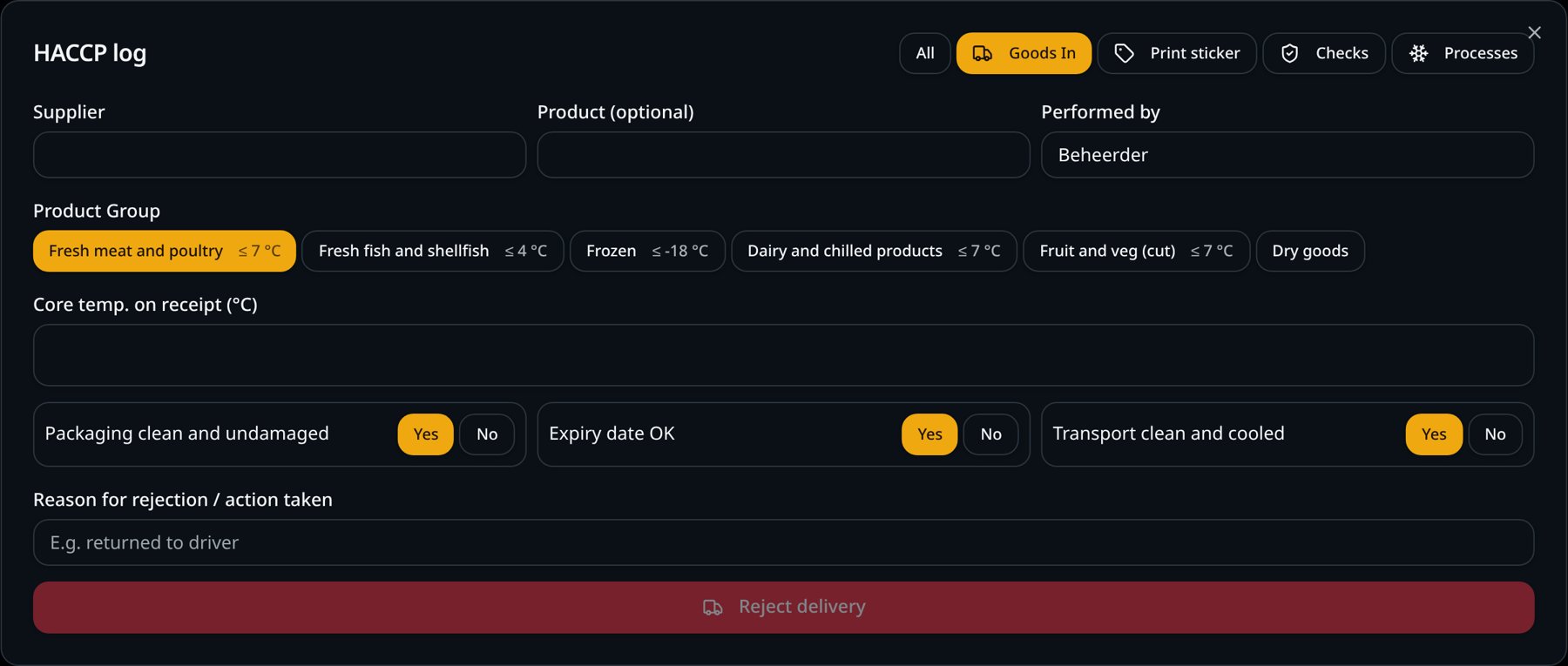
Goods in with a few taps
Pick the supplier and product group, measure the core temperature and answer three questions. The limit for each product group is shown right there. Suppliers and products are remembered, so next time it's one tap.
Limits per product group, such as fresh meat ≤ 7 °C and frozen ≤ −18 °C
Checks on packaging, expiry date and transport
Reject with a reason or the action taken
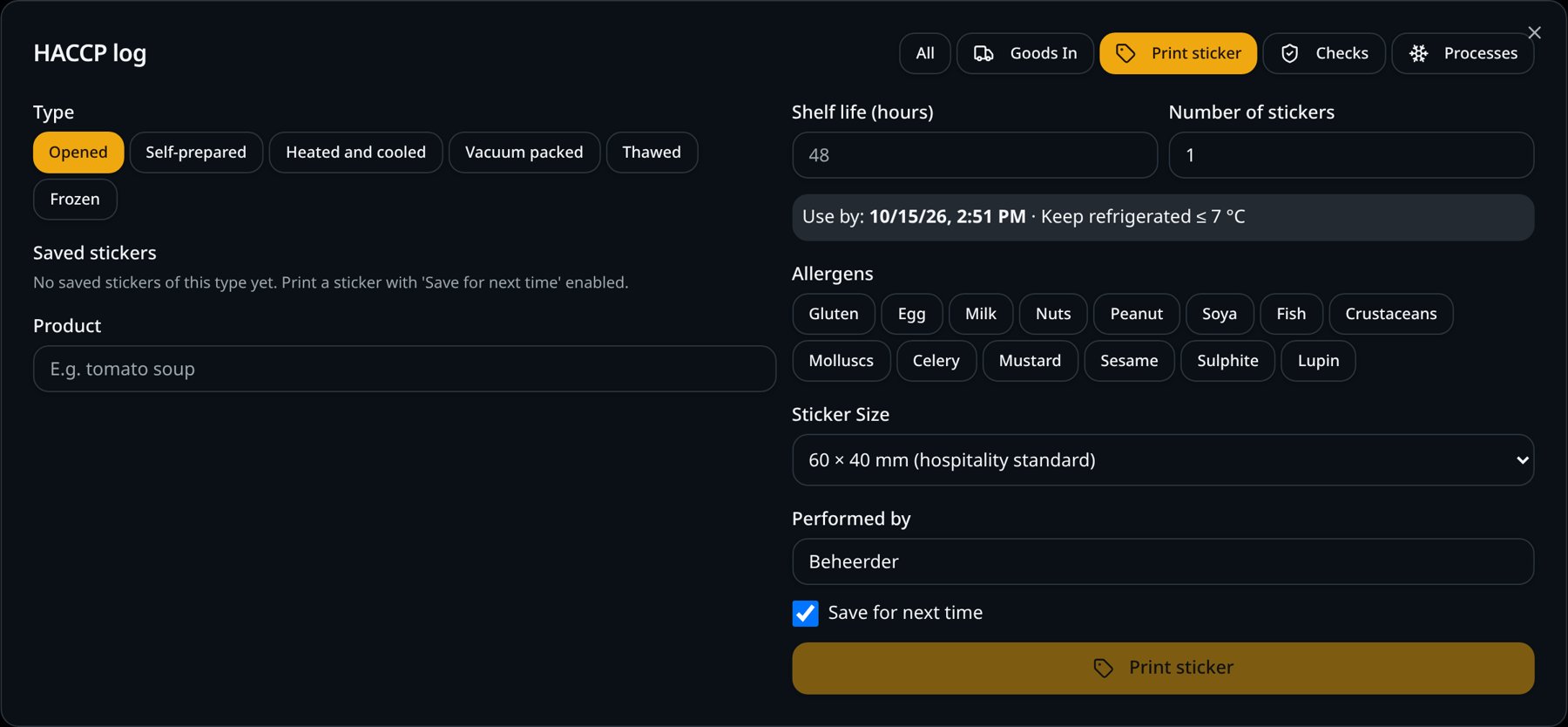
Shelf-life labels with the right date
Choose the type, such as opened, prepared or defrosted, and the product. 'Use by' is calculated for you. Saved labels are ready as buttons, with allergens and shelf life already filled in.
All 14 allergens one tap away
Sized to your roll: 60 × 40, 90 × 38, 101 × 54 mm or 58 mm continuous
With a network label printer they print straight away, no print dialog
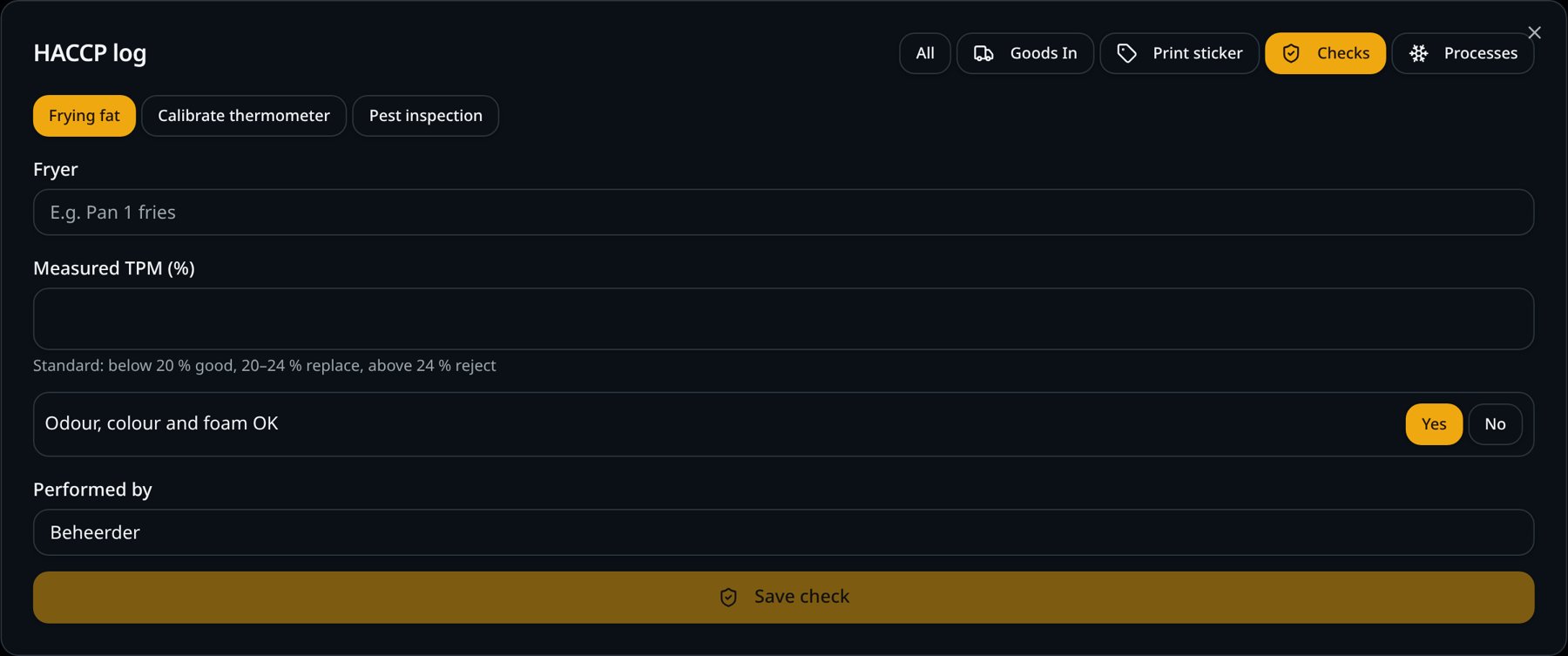
Checks: frying oil, thermometer and pests
Measure frying oil (TPM), calibrate your thermometer in ice water or boiling water and run the pest inspection. The screen grades the result and asks for an action on failure.
Frying oil: under 20 % good, 20–24 % change soon, over 24 % reject
Thermometer: deviation up to 0.5 °C approved
Pest inspection with six fixed checkpoints
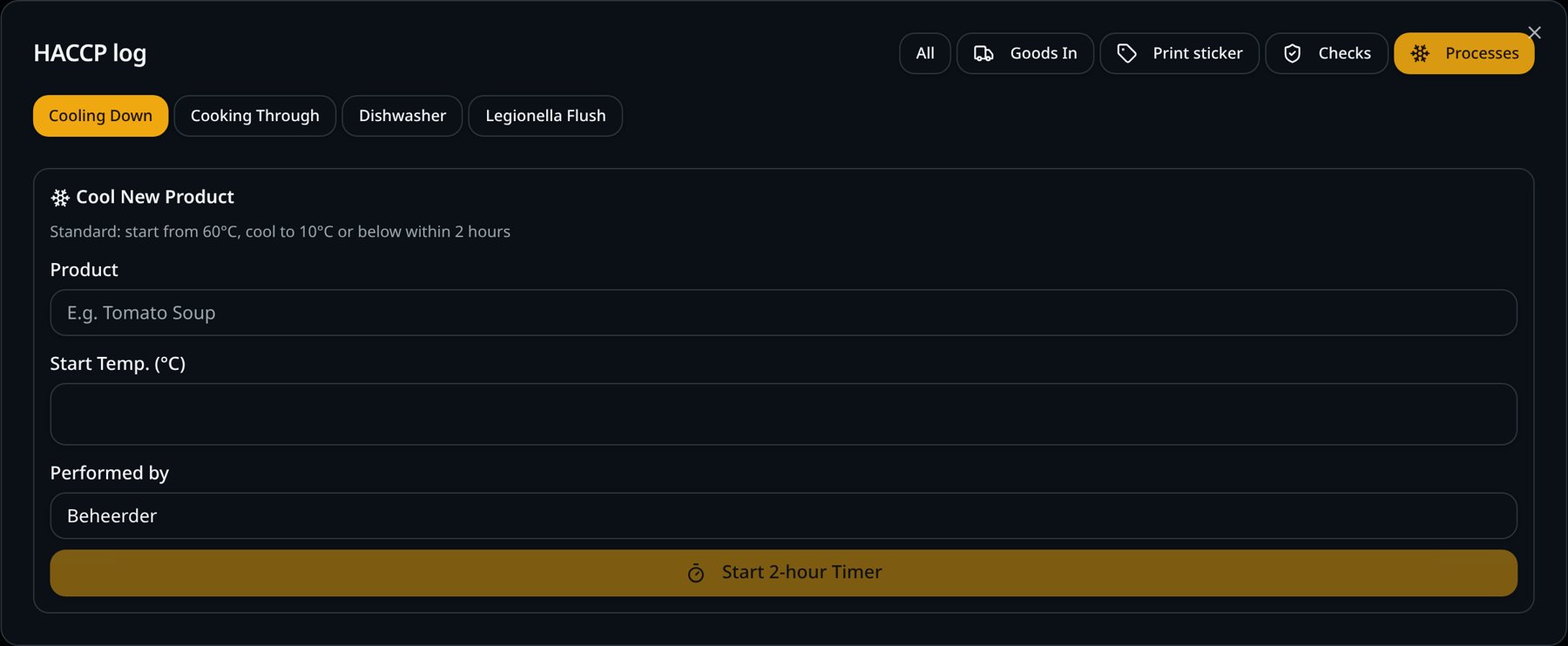
Processes: cooling with a timer
Start cooling with the starting temperature; a 2-hour timer runs alongside. You also record cooking, dishwasher temperatures and legionella flushing.
Cooling: from 60 °C to 10 °C or lower within 2 hours
Cooking: core temperature of at least 75 °C
Dishwasher and legionella flushing with fixed limits
And more
Checkpoints and cleaning tasks
Daily, weekly, monthly or quarterly, split over opening, during service and closing.
Photo as proof
You can require a photo for major cleaning tasks.
Alerts on POS and handhelds
Is a round late or is cooling running over? A small alert appears, which you can switch on or off.
Wi-Fi temperature sensors
Link a sensor to a cold room. If it's too warm for 15 minutes, you get an alert.
Missed tasks carried over
A task left undone last period stays red on screen.
In nine languages
Every team member can use the screen in their own language.
SmartPOSapp helps you record and keep your data, but it is not a certification. You remain responsible for your own food safety plan.
Frequently asked questions about HACCP on the kitchen display
Do I need an extra screen for HACCP?
No. HACCP records open as a window on your existing kitchen or bar display. You don't need a separate touchscreen or app.
What happens when a temperature is out of range?
The screen asks for a corrective action right away and schedules a re-check. It stays open until the reading is back within range.
Can I print labels without a print dialog?
Yes. With a network label printer and the SmartPOSapp print bridge, labels come straight out of the printer, just like your kitchen tickets. You choose the size of your roll: 60 × 40 mm, 90 × 38 mm, 101 × 54 mm or 58 mm continuous.
Can I show the log during an inspection?
Yes. In Management you create an inspection report or a file covering 3, 6 or 12 months that you can print or save as PDF.
Does this make me HACCP certified?
No. SmartPOSapp helps you record and keep your data. You remain responsible for your own food safety plan and how it is carried out.
Add HACCP to your kitchen display
Order your POS system with kitchen display and switch on the HACCP add-on. We set everything up for you.