HACCP on your kitchen display
Print shelf-life labels from your kitchen display
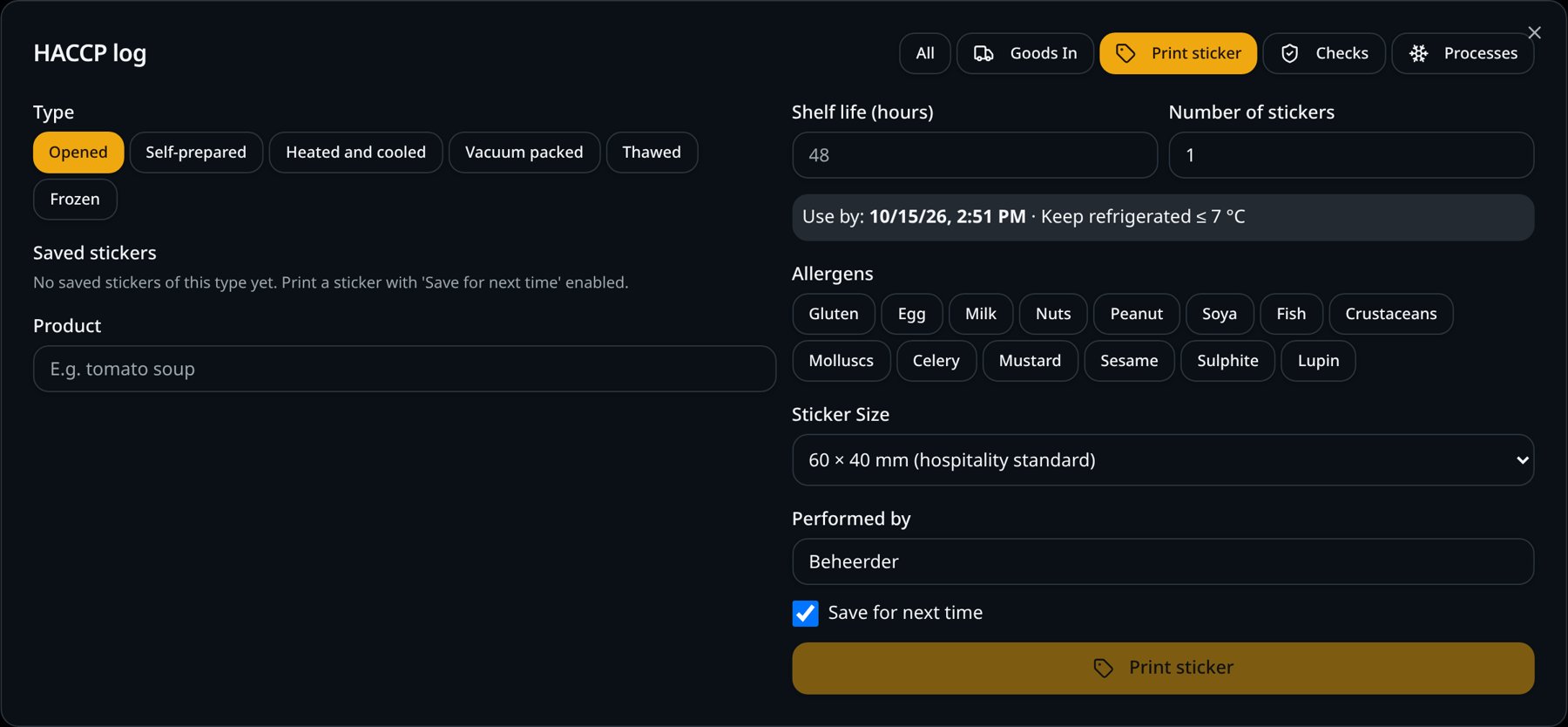
Choose the type and the product; the right date appears automatically. With a network label printer, the label rolls straight out.
Tape and marker don't work
Handwritten labels are hard to read, the date is miscalculated and allergens are often missing.
How it works
- 1
Choose the type
For example opened, prepared in-house or defrosted.
- 2
Choose the product
'Use by' is calculated automatically. Saved labels are ready as buttons, with allergens and shelf life filled in.
- 3
Tap the allergens
All 14 allergens can be selected.
- 4
Print instantly
Through the SmartPOSapp print bridge, the label rolls out of the network label printer without a print dialog.
What you gain
- Always the right date
- Allergens clear on every container
- Sizes 60 × 40, 90 × 38, 101 × 54 mm or 58 mm continuous
- Faster than writing by hand
Real-world example
The cook makes a tub of gravy. Two taps on the screen and the label with prep date, 'use by' and allergens rolls out of the printer.
Frequently asked questions
Which printer do I need?
A network label printer. Without one, you can still print the label through the print dialog.
Can I save fixed labels?
Yes. Saved labels are ready as buttons, with allergens and shelf life filled in.
SmartPOSapp helps you record and keep your data, but it is not a certification. You remain responsible for your own food safety plan.
More HACCP features
Add HACCP to your kitchen display
HACCP recording is a paid add-on to the kitchen and bar display. We set everything up for you.