HACCP on your kitchen display
Cooling with a 2-hour timer
Start cooling with the starting temperature. A 2-hour timer runs along and you get an alert if it runs over.
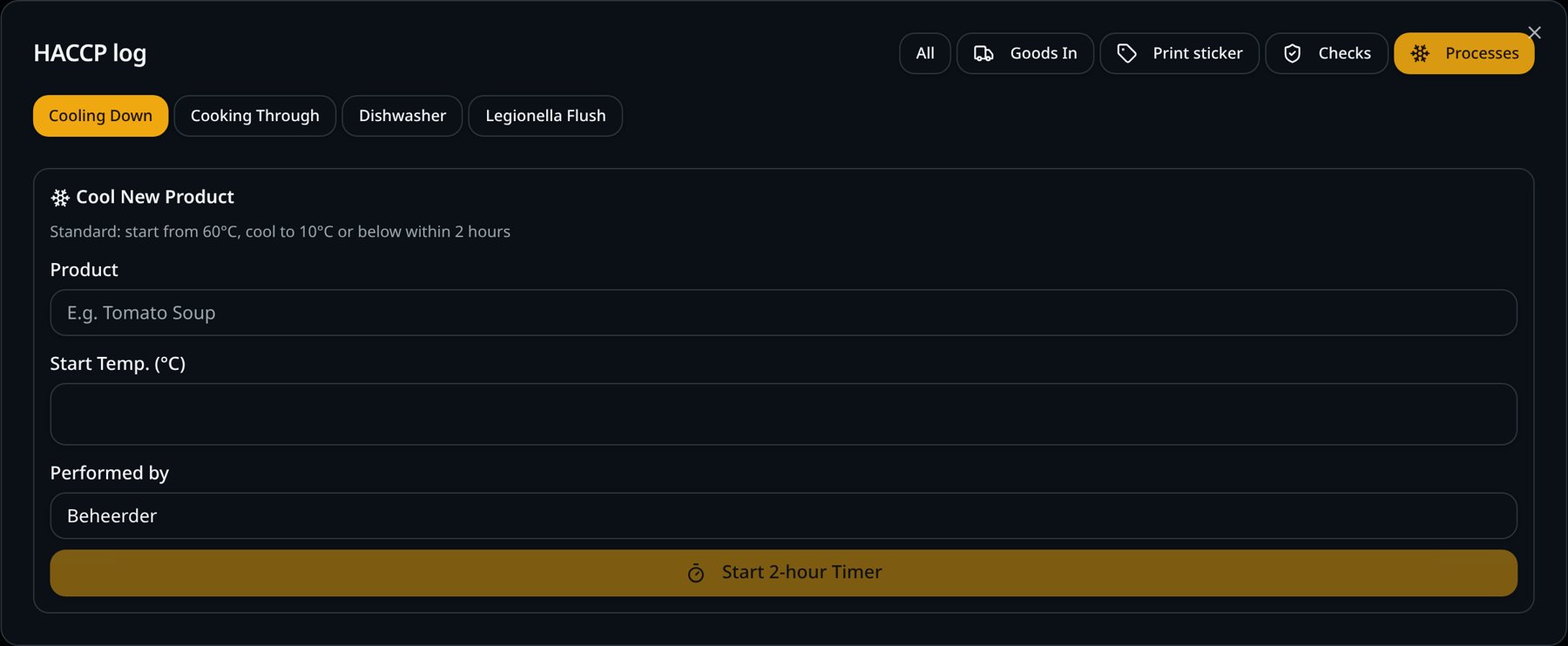
Cooling gets forgotten
In the rush nobody remembers when the soup came off the heat. Without a time, you can't prove it cooled within the limit.
How it works
- 1
Start with the temperature
Enter the temperature when starting; the timer begins.
- 2
Timer runs along
The screen shows how much time is left.
- 3
Final reading
Measure at the end: 10 °C or lower within 2 hours is a pass.
- 4
Alert when it runs over
If cooling runs over, an alert appears on the POS and handhelds.
What you gain
- No forgotten cooling
- Start and end time recorded
- Cooking with a core temperature of at least 75 °C
- Dishwasher and legionella flushing with fixed limits
Real-world example
At 3 pm the stock comes off the heat at 82 °C. The cook starts the timer; at 4.45 pm he measures 8 °C and completes the record.
Frequently asked questions
What is the cooling limit?
From 60 °C to 10 °C or lower within 2 hours.
Can I track several coolings at once?
Yes, each started cooling has its own timer.
SmartPOSapp helps you record and keep your data, but it is not a certification. You remain responsible for your own food safety plan.
More HACCP features
Add HACCP to your kitchen display
HACCP recording is a paid add-on to the kitchen and bar display. We set everything up for you.