POS system for restaurants
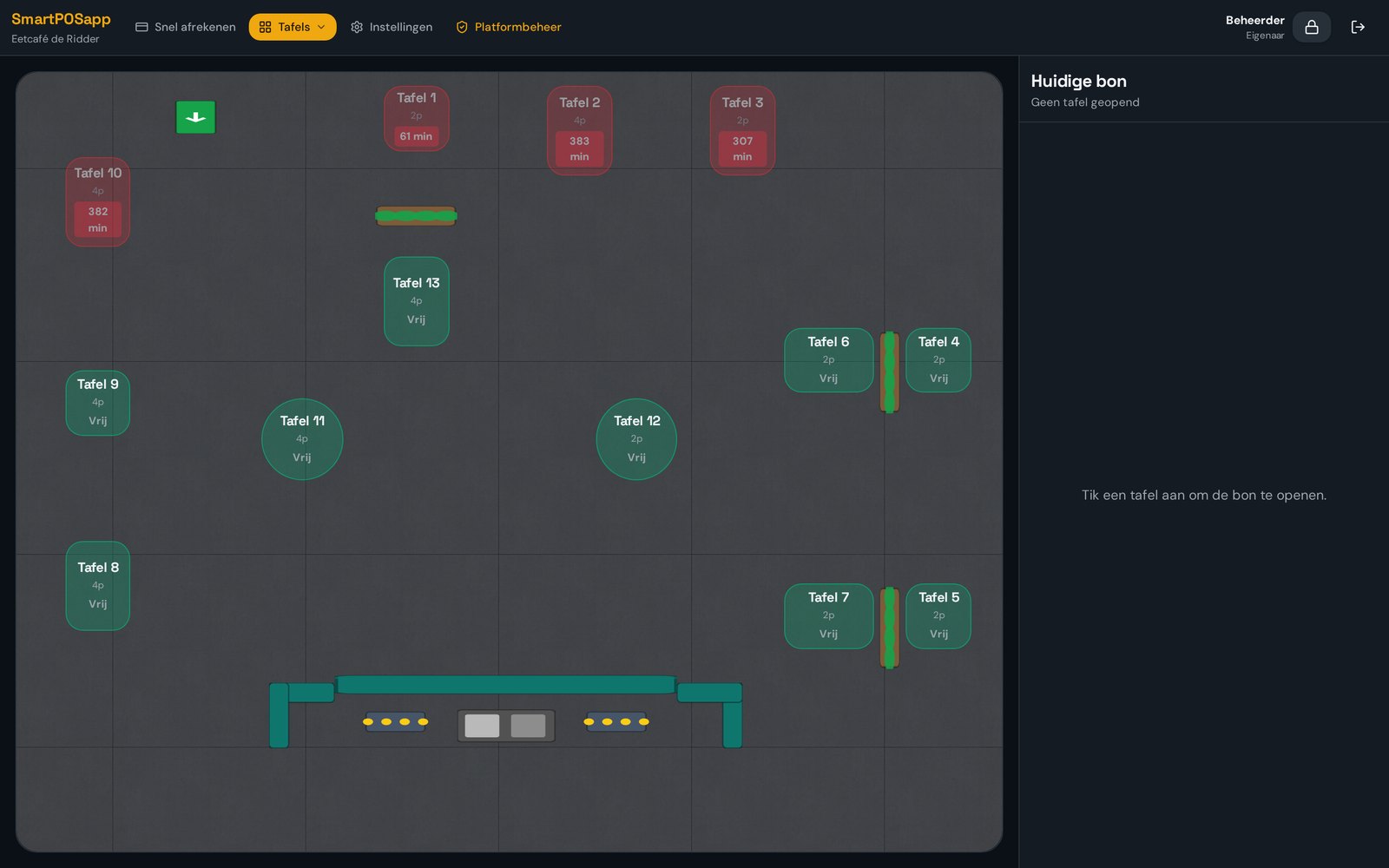
Table plan with colour status
Your dining room, terrace and conservatory appear on the till as they really are. At a glance you see which table needs attention.
Where it often goes wrong
When it's busy, nobody knows which table has ordered or has been waiting for ages. Guests feel forgotten and staff double up.
How it works
- 1
Draw your floor plan
Place round, square and rectangular tables plus extras like planters or a bar.
- 2
Multiple areas
Create separate plans for inside, the terrace or a function room.
- 3
Read the colours
Green free, light blue open bill, orange paying, flashing red when a table waits too long.
What you gain
- No more forgotten tables
- New staff find their way instantly
- Set the waiting time yourself
- Same view on till and handhelds
Real-world example
Table 12 on the terrace flashes red: 25 minutes without an order since the main course. A server stops by and sells two more desserts.
Frequently asked questions
Can I create several floor plans?
Yes, for example inside, terrace and a function room.
Do I set the red waiting time myself?
Yes, you decide after how many minutes without activity a table flashes red.
More restaurant features
Ready for a calmer service?
We deliver your POS system fully pre-installed and set it up for your venue.