POS system for restaurants
Every order automatically to the right place
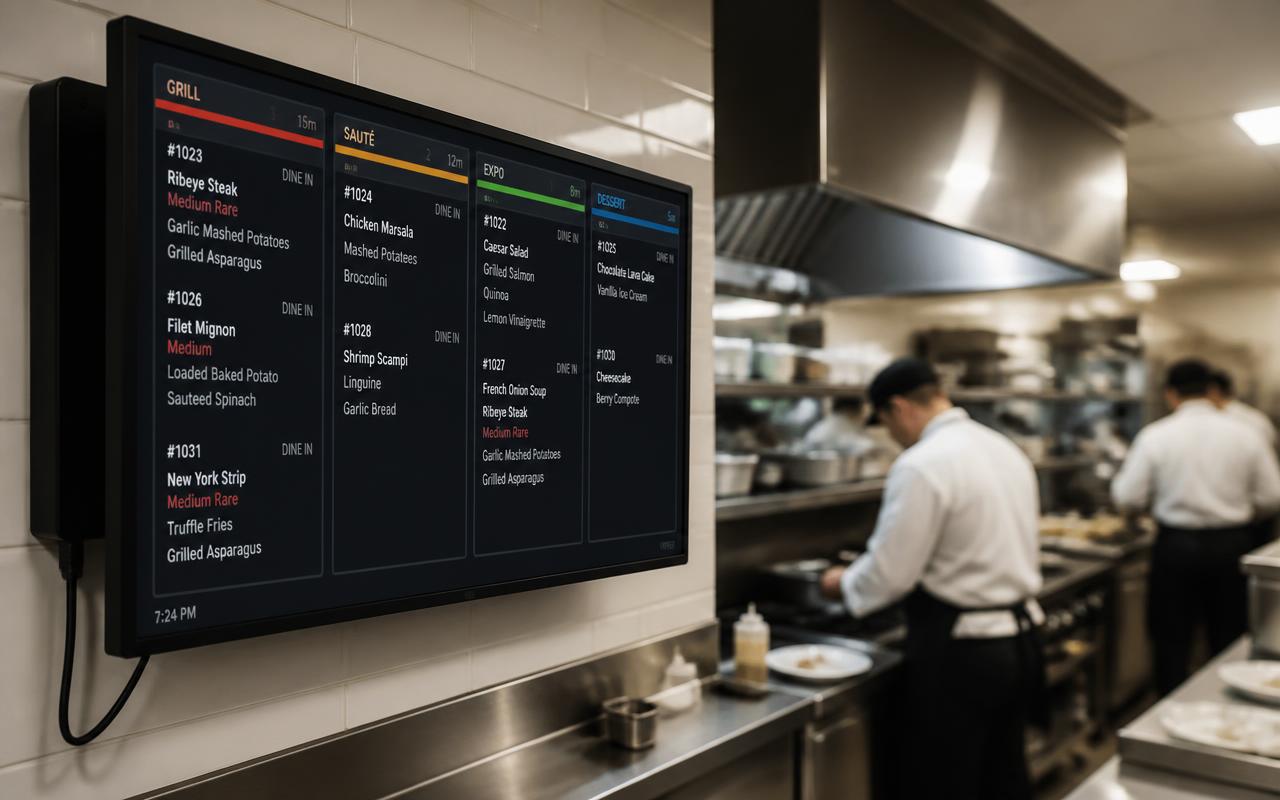
Per category or product you decide where it goes: bar display, kitchen display or a printer per station.
Where it often goes wrong
One ticket for everything means the bar and kitchen read each other's work, and things get missed.
How it works
- 1
Set routes
Link categories or products to the bar, hot kitchen or cold section.
- 2
Display or printer
Use a kitchen or bar display, a printer, or both.
- 3
Mark as ready
The kitchen taps off a dish on the display; staff see it's ready.
What you gain
- No confusion between bar and kitchen
- Less paper
- Overview at peak times
- Separate displays for kitchen and bar
Real-world example
A table orders beer, a salad and a steak. The beer appears on the bar display, the salad at the cold section and the steak at the grill, all at once.
Frequently asked questions
Can I combine a printer and a display?
Yes, per station you choose printer, display or both.
Is there a separate bar display?
Yes, the bar display is a separate app alongside the kitchen display.
More restaurant features
Ready for a calmer service?
We deliver your POS system fully pre-installed and set it up for your venue.