POS system for shops
Staff, day close and reporting
You know who sold what, how many hours were worked and what the day brought in.
Where it often goes wrong
One shared till login makes differences impossible to explain, and separate timesheets rarely add up.
How it works
- 1
Log in per team member
With a PIN or barcode badge, with their own roles and permissions.
- 2
Clock
Staff clock in and out on the till.
- 3
Close the day
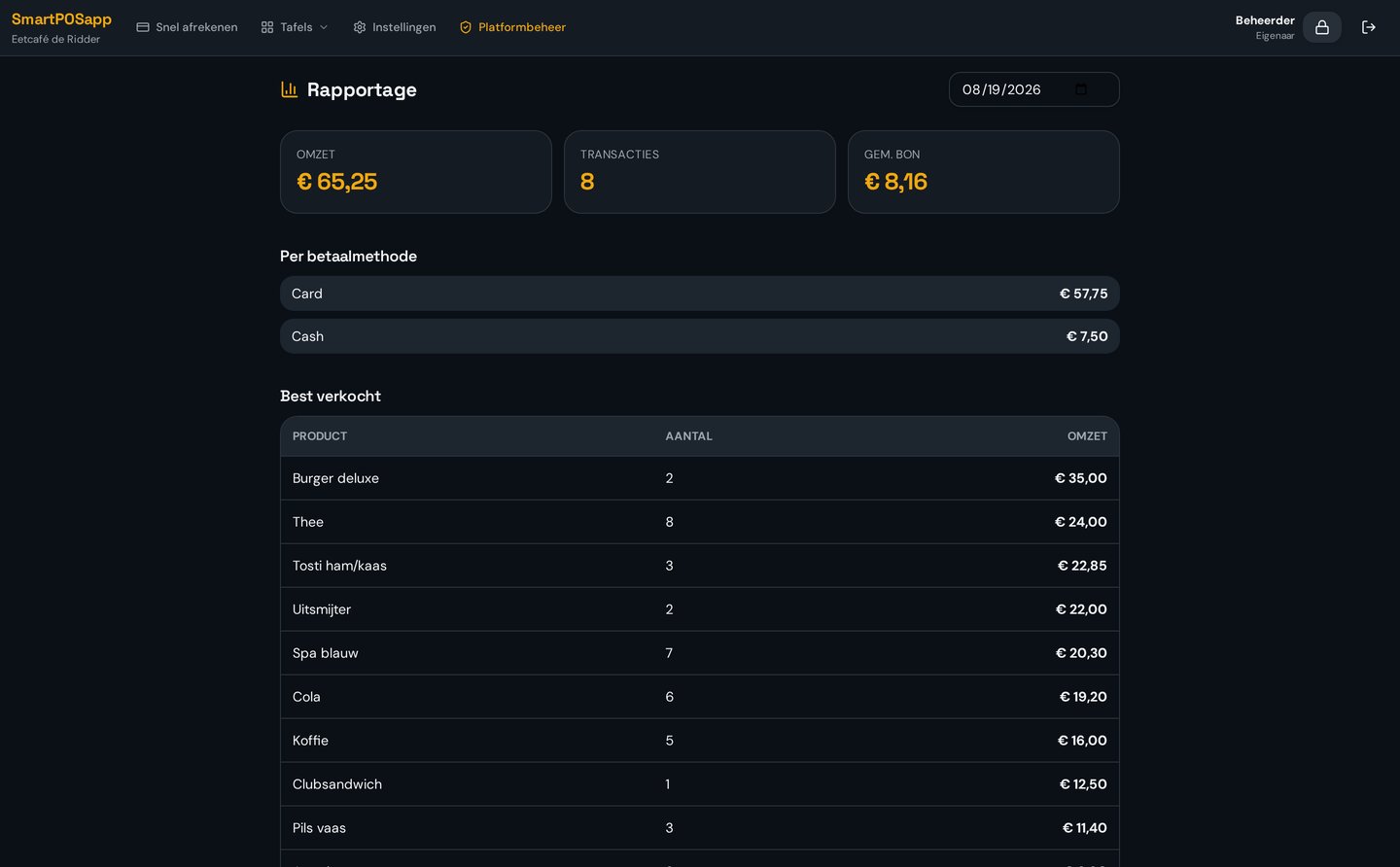
Overview of turnover per product, category and payment method.
What you gain
- Differences can be traced
- Hours available instantly
- Insight into best-sellers
- Permissions per role
Real-world example
At day close €10 is missing from the drawer. The report shows which team member gave change on which receipt.
Frequently asked questions
Can I set permissions per team member?
Yes, roles decide who may do what, such as giving discounts or booking returns.
Is time tracking included?
Clocking in and out with an hours overview is optionally available.
More retail features
Ready for a faster counter?
We deliver your POS system fully pre-installed and set it up for your shop.