SmartPOSapp
Staff member checking out a customer at the counter of a clothing store with a POS system on a tablet

For fashion, shoes and accessories

POS system for your clothing store

Sizes and colours as variants per item, stock that moves with every sale and your own gift cards. SmartPOSapp is a modern POS system that we deliver ready to use and pre-installed on tablet or PC.

Size and colour as variants

Set up choice groups per item for size and colour, with an optional surcharge per variant.

Stock per item

Every sale takes the item off stock, with an alert when the level gets low.

Gift cards with remaining balance

Sell your own cards and redeem them at the till; the remaining amount stays on the card.

Variants in size and colour

You set up choice groups per item, for example size (XS to XXL) and colour. When ringing up, the seller picks the right combination, so the receipt and the daily revenue show exactly what was sold.

  • Choice groups with required or optional selection, and a minimum and maximum
  • Surcharge per variant, for example for large sizes or special versions
  • Link groups to a single item or a whole category at once
Screenshot of Quick checkout in SmartPOSapp with product tiles and the receipt on the right

Range and stock

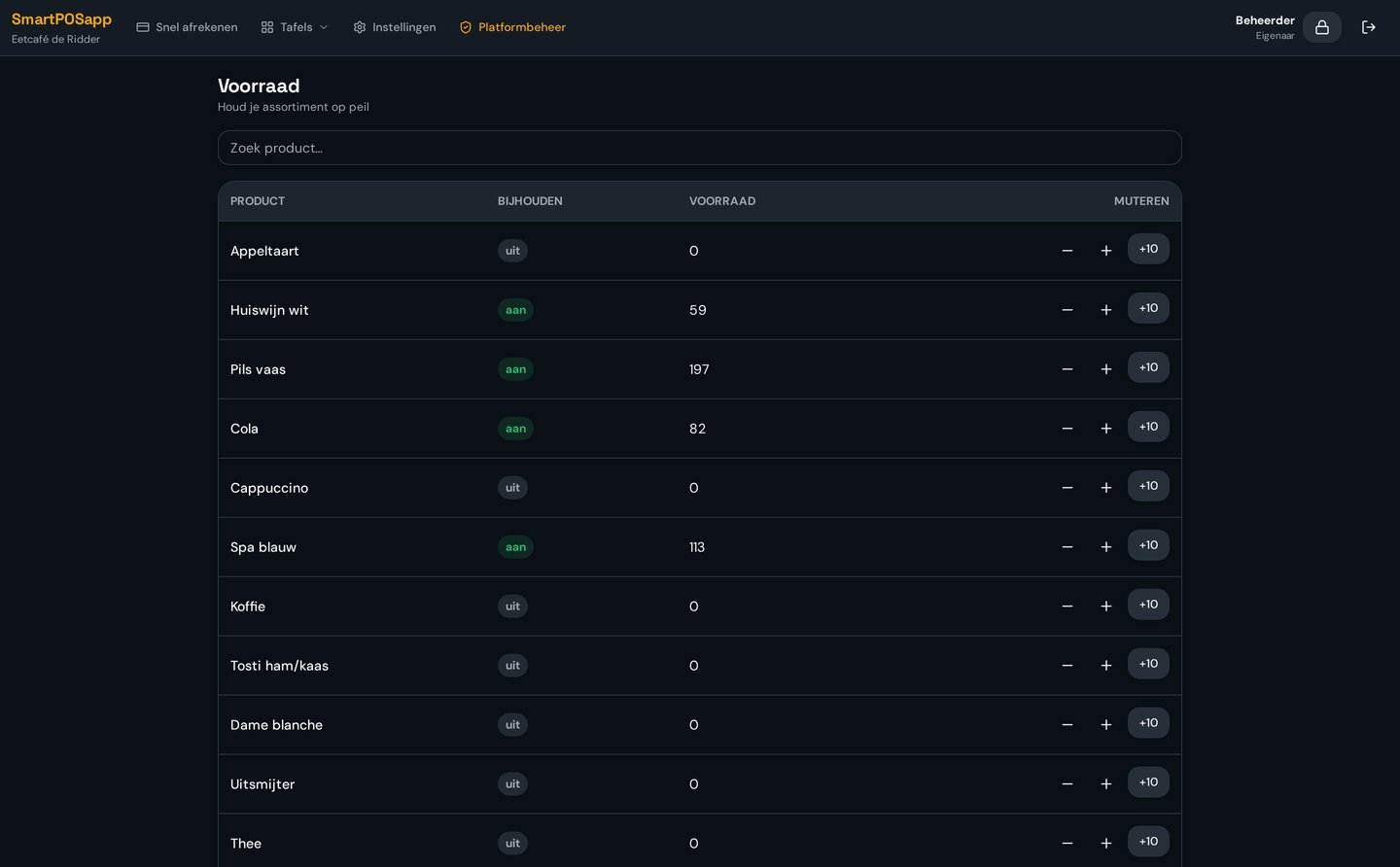
Build your collection with categories and subcategories — women, men, shoes, accessories — and drag the tiles into the order that works in your store. You keep stock per item.

  • Categories and subcategories with their own colours and images
  • Stock level per item with a low-stock threshold
  • Stock changes with a reason, so corrections and returns are traceable
Screenshot of the stock overview in SmartPOSapp with stock levels per item

Checkout at the counter

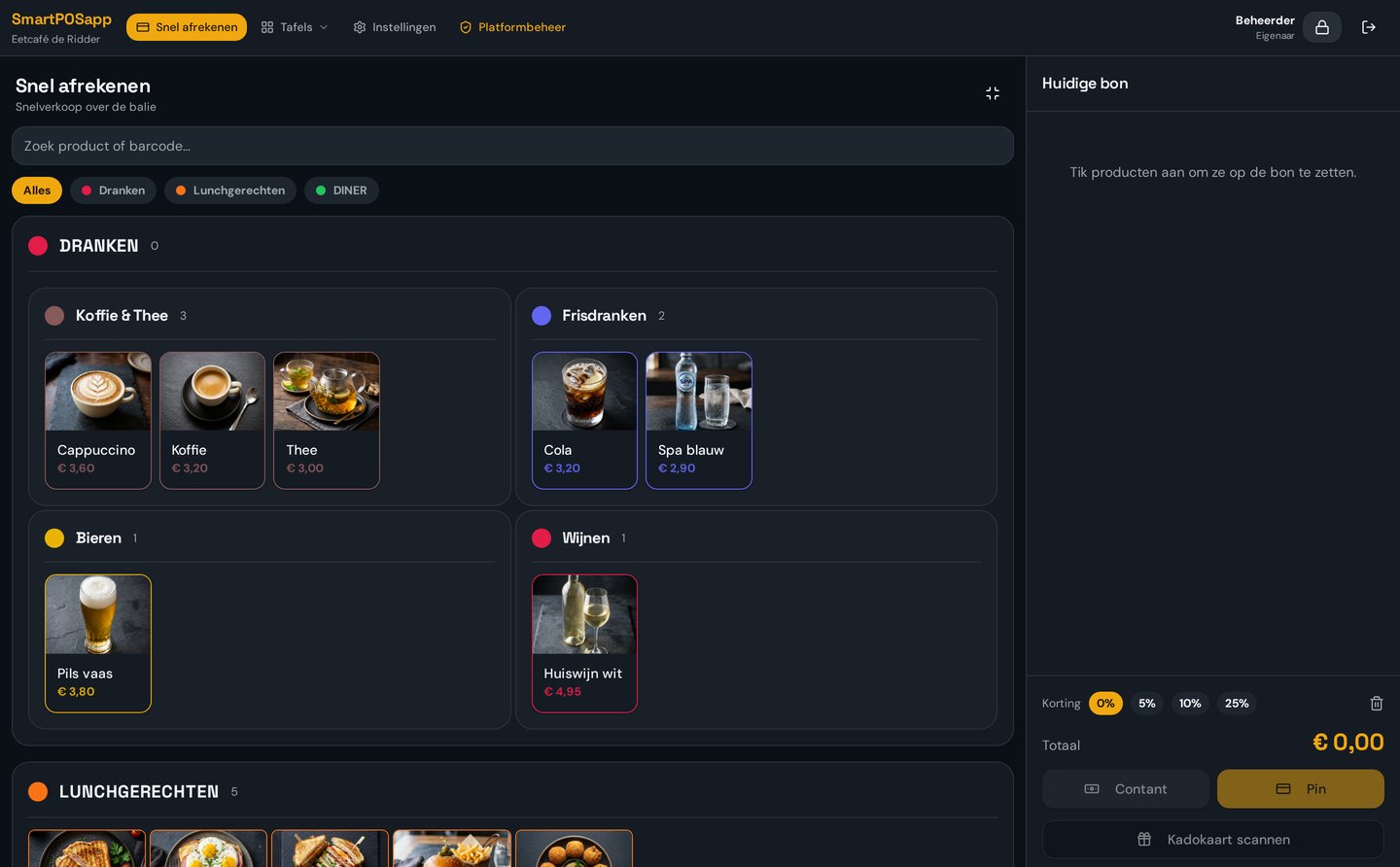
Scan the price tag or tap the tile. Cash, card, gift card or a combination: you check out in a single transaction and the receipt prints automatically from the receipt printer.

  • Barcode scanner works instantly, connected out of the box
  • Multiple payment methods on one receipt, including gift card
  • Staff log in with a PIN or badge, with their own roles and permissions
Screenshot of the checkout screen in SmartPOSapp with product tiles and payment buttons

Gift cards for your store

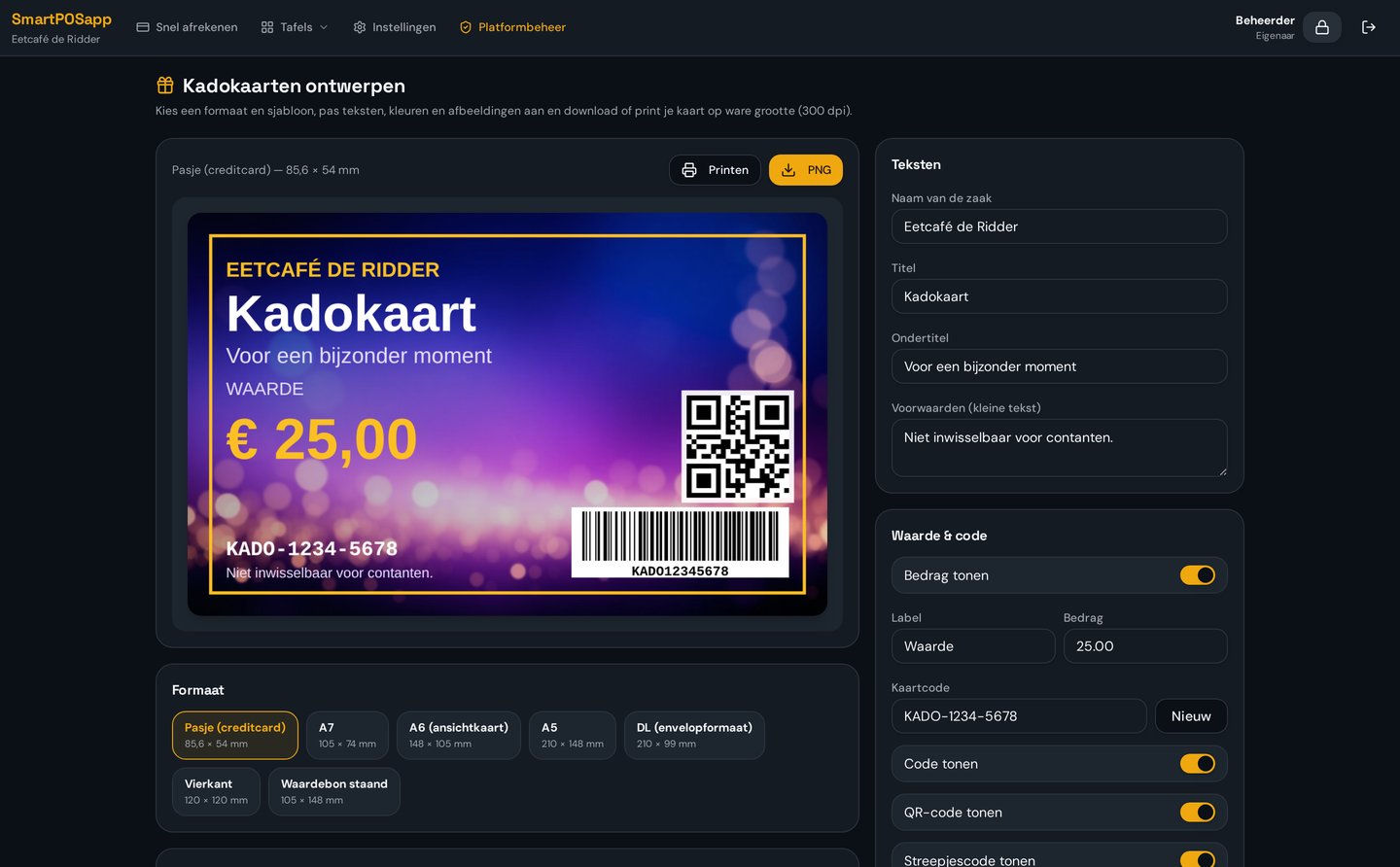
Design your own cards in the format that fits your store, with your logo and a generated barcode. At the till you scan the card to pay with it.

  • Design module with templates and an automatically generated barcode
  • Redeem with the scanner during checkout
  • Remaining balance stays on the card for a future visit
Screenshot of the gift card design module in SmartPOSapp with a barcode on the card

Revenue per item and per day

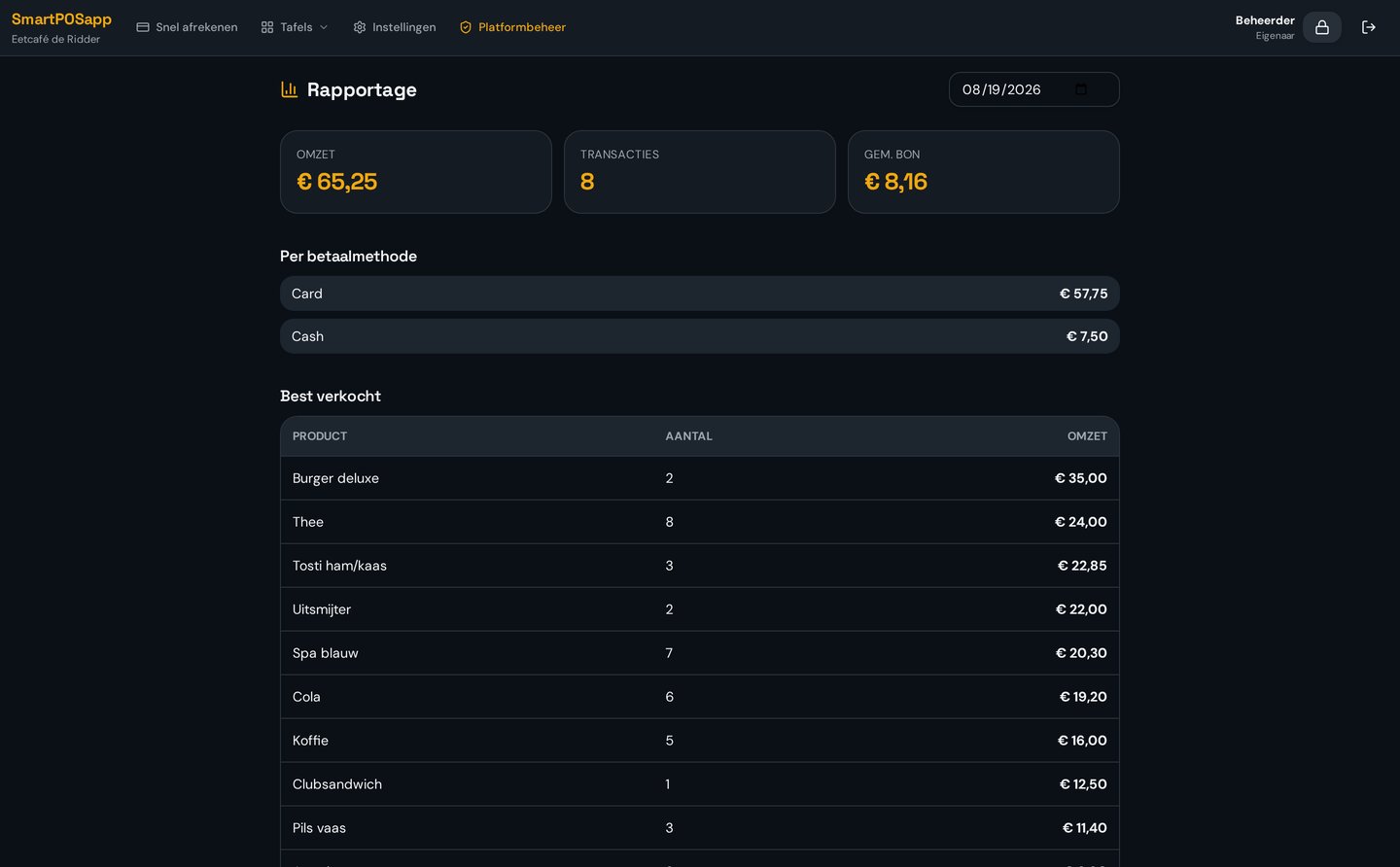
Close the day with an overview of your revenue per item, category and payment method. You see which sizes and models are moving and what you need to reorder.

  • Day overview with revenue, number of transactions and average receipt
  • Best-selling items at a glance
  • Optional time tracking: clock in and out with an hours overview
Screenshot of the day report in SmartPOSapp with revenue, payment methods and best-selling items

What does it cost for a clothing store?

You pay a fixed amount per month per location, with no start-up costs and no till hardware to buy: we deliver the system ready to use and pre-installed. You choose the plan with the modules you need — stock, gift cards, reports or time tracking.

Put your clothing store on SmartPOSapp

Order your POS system, we load your collection with sizes and colours and connect your receipt printer and scanner, so you can check out your first customer right away.

Bekijk in actie

Ook voor retail

Winkel, bakkerij, kapsalon, foodtruck en sportkantine.

Buy a POS system — instalments available

Buy the complete till set with touchscreen till, cash drawer and receipt printer. With a yearly contract you pay in monthly instalments. We install and set everything up on site.

View hardware